PacHealth® Insights
What is PacHealth® Insights?
PacHealth Insights is Paccurate's answer to the question: "what if I could use my historical packing data to inform continuous improvement and cost savings in my warehouse?" The Paccurate platform has access to a tremendous amount of packing data. Every order you send us to pack, you tell us the dimensions of the items and boxes, as well as any packing rules and SOPs that need to be applied. We also know how we recommended that the order be packed, and we calculate a wealth of metrics on the final packed order -- things like volume utilizaiton, shipping cost, total & dim weight, etc. Where PacHealth bubbles up much of this data at a high level, Insights allows you full access to explore, compare, and export this data, allowing you to take specific actions to improve your packing performance.
How it Works
Every order you send through PacAPI for cartonization is stored in our back end database, and Insights allows these orders to be fully queried based on both input and output characteristics about the Orders, Cartons, and Items contained in the pack. Where PacHealth uses a sample of orders to tease out high level metrics and compare them to system benchmarks, Insights sees every order, and has access to a wealth of valuable packing data. Additionally, Insights has a built in Comparison function, allowing you to quickly view changes in packing performance across time.
When to Use Insights
There are 4 main features in Insights that distinguish it from PacHealth:
- You get granular, order-level view into every pack request you've sent via PacAPI
- You can drill down into this order data by viewing either associated Items, Orders, or Cartons
- You can filter this data based on a variety of criteria and metrics - lots more detail in our Use Cases documentation
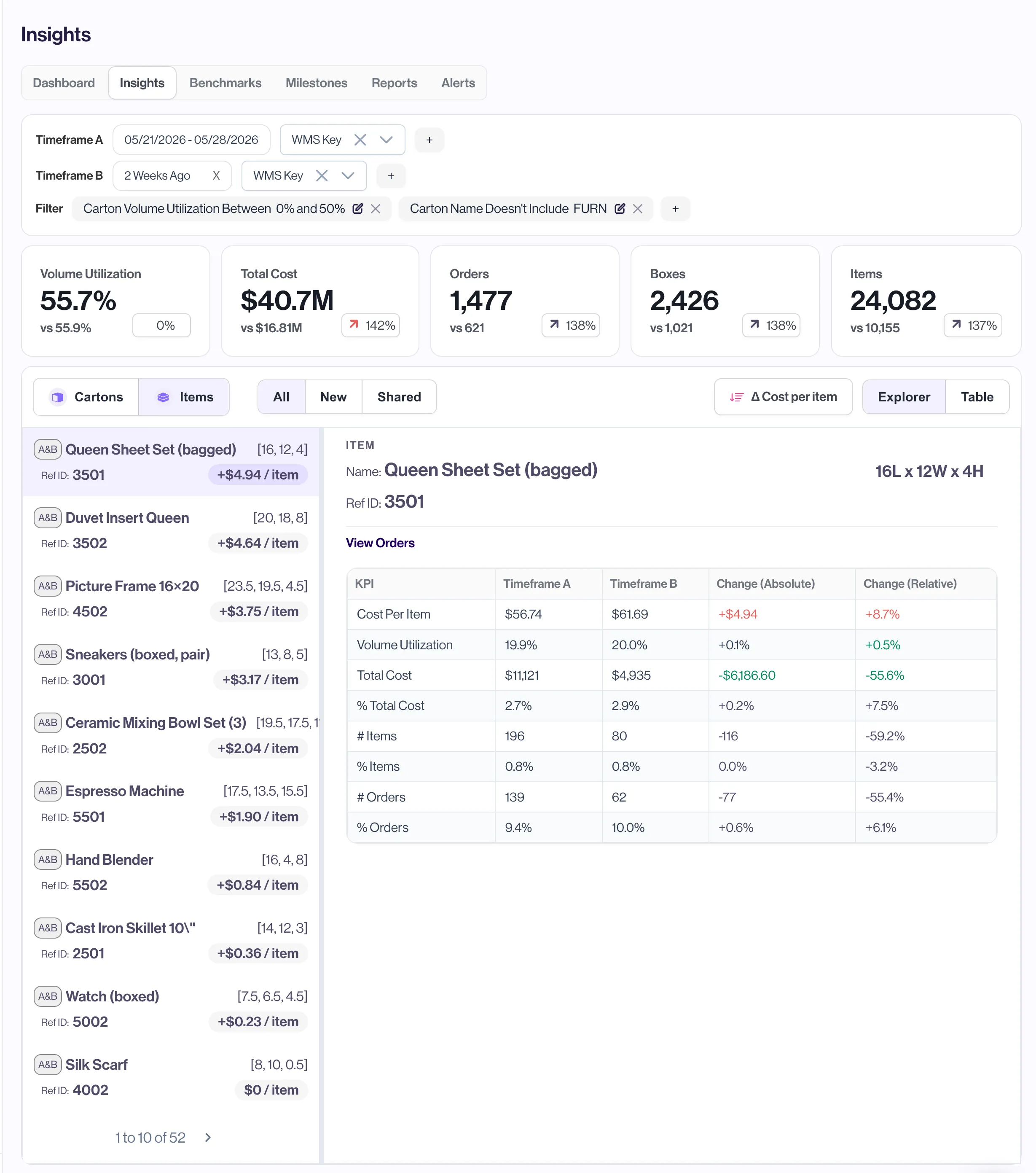
- You can use the Comparison feature to view metrics across 2 time frames at once, allowing to you to see the impact of process changes on your packing metrics
How to Use Insights
Insights is a core feature of the PacHealth tool. To access the view, first navigate to the PacHealth page, then select Insights from the navigation bar below the header.
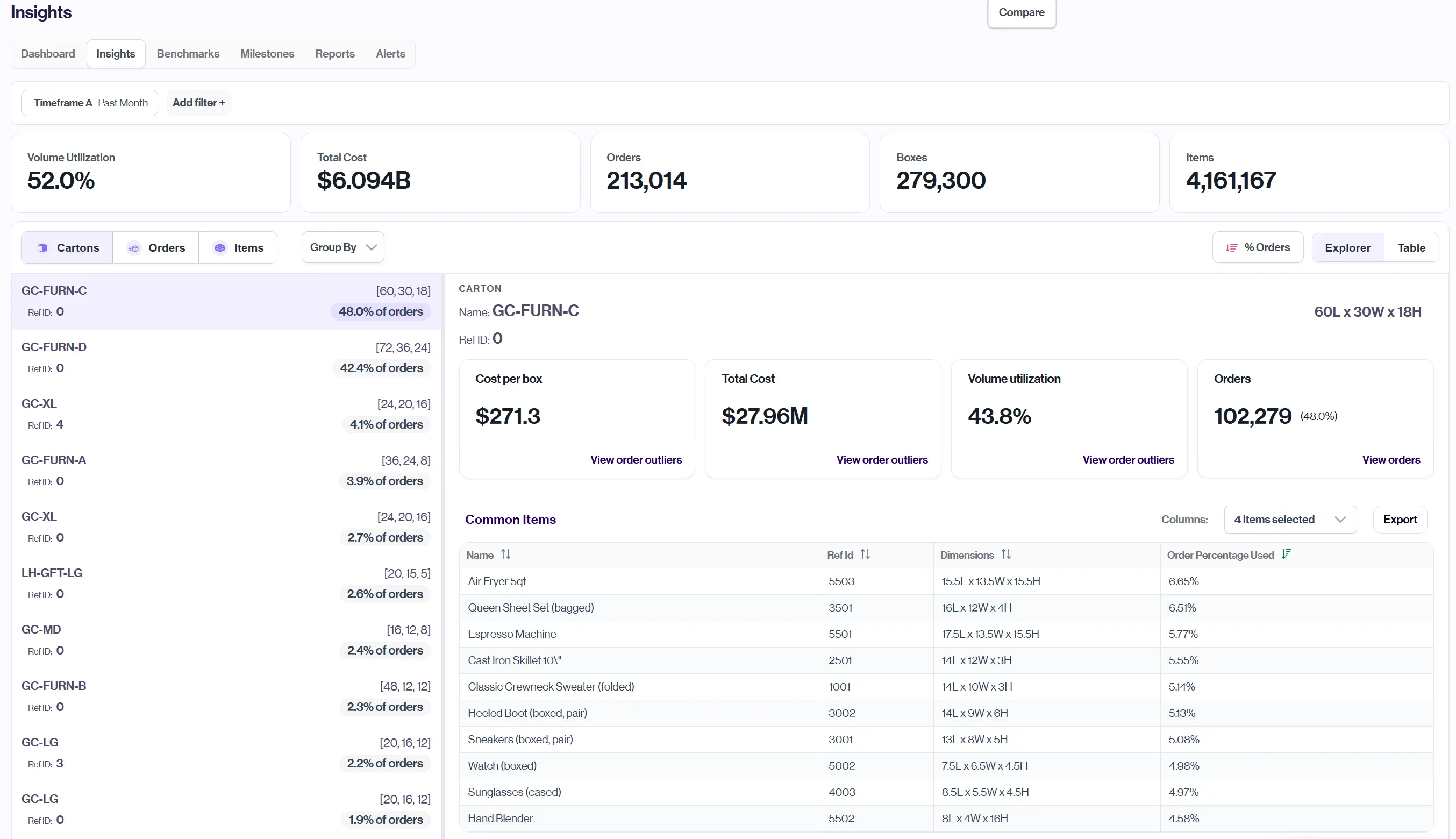
By default, you will see your last week of order data, with the Cartons drilldown active, and your used cartons sorted by the % of orders they were used in. From here, you can access the following:
- You can change the timeframe you are investigating by clicking directly on Timeframe A below the navigation bar.
- You can add additional filters to your view to see only specific types of orders. Filters can be created based on relevant cartons, orders, or items (for example: only view orders where carton volume utilization <50%, to quickly see poorly packed boxes)
- Swap between the cartons, orders, and items drilldowns on the left panel
- Using the buttons on the right side of the page, you can change the default metric used to sort your data, as well as change between ascending/descendind sorting. In addition, you have the ability to switch between the Explorer and Table view.